01
A whole batch. One less chore.
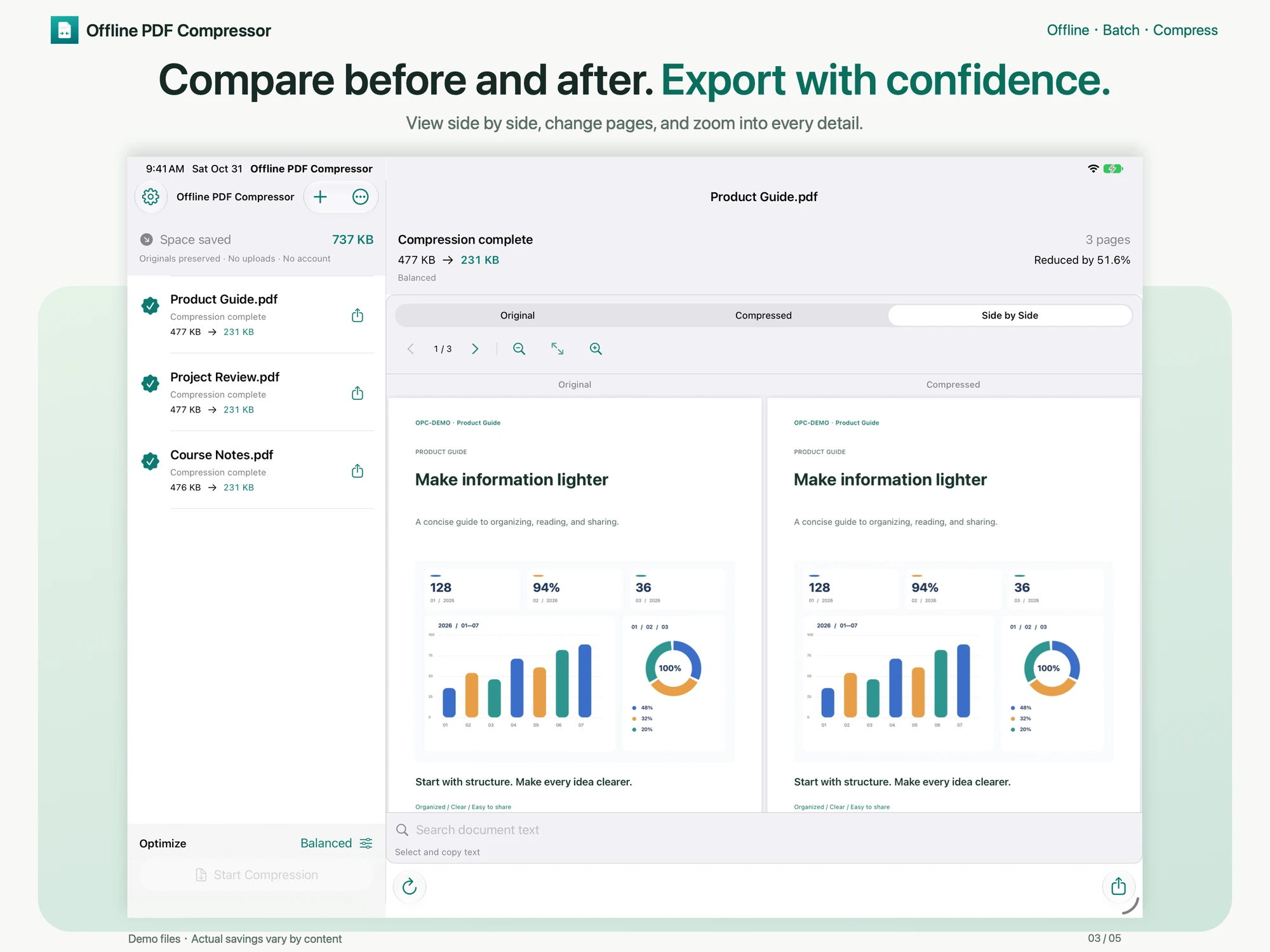
Choose multiple PDFs from Files, open them from another app, or drag them in on iPad. Export your results individually or all together.
 Offline PDF Compressor
A LITTLE LIGHTER. A LOT EASIER.
Reports, class notes, scanned documents. Give them a little breathing room. Compress entirely on your iPhone or iPad, without uploading a thing.
For iPhone & iPad · iOS / iPadOS 17.0 or later
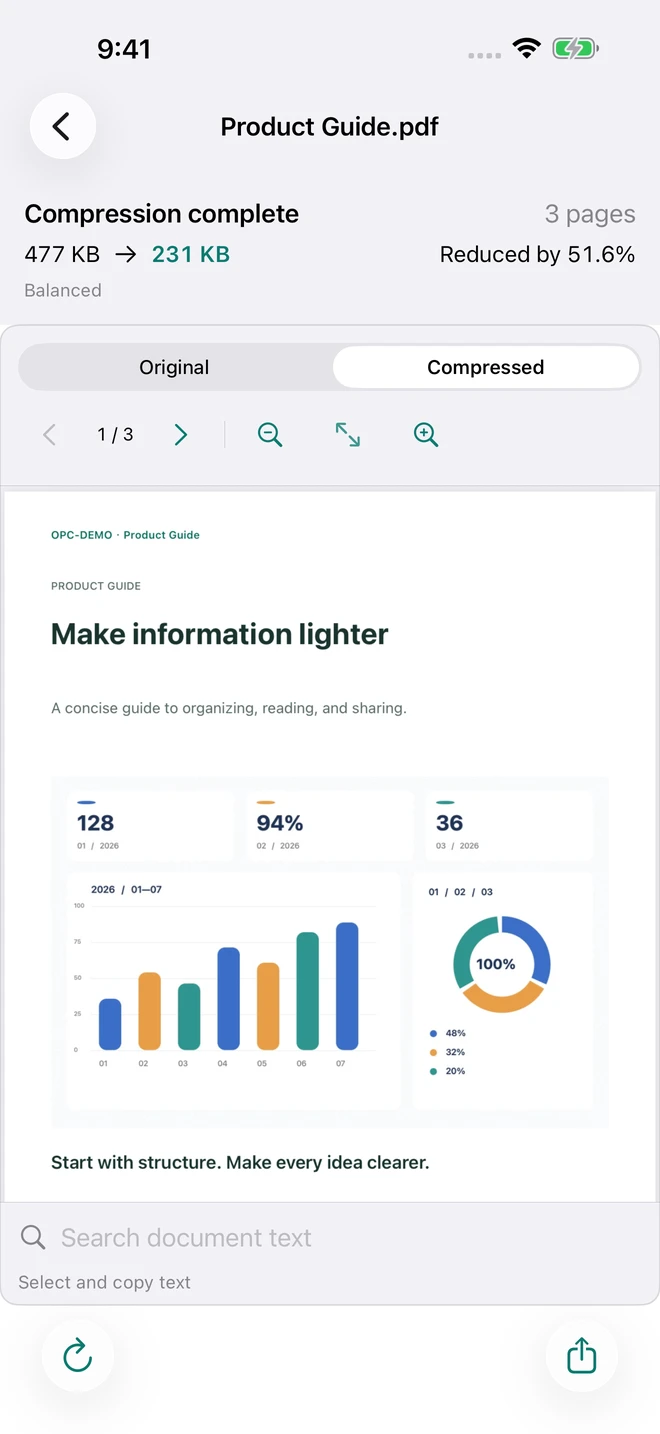
Actual app screen · Sample savings vary by document
Discover a lighter way to work with PDFs
Skip the upload altogether
Try your settings with confidence
Start in a language you know
JUST WHAT YOU NEED
From a single report to a whole folder of reading. Make compression part of your flow, without breaking your stride.
Choose multiple PDFs from Files, open them from another app, or drag them in on iPad. Export your results individually or all together.
Start with five presets, or adjust JPEG quality and target image DPI yourself. Choose the balance of size and image detail that works for your document.
Your source files are never overwritten. Save results to Files or send them with the system share sheet. Exported copies stay put when you clear the app.
TAKE A CLOSER LOOK
Preview the original and compressed PDF. Turn pages, zoom, search and copy existing text. Compare side by side on a wide iPad screen, then export when you’re happy.
A SETTING FOR YOUR DOCUMENT
Balanced is the default, and a good place to start. Choose Custom when you want a little more control.
Keep encoding & resolution
Optimize structure and duplicate resources.
JPEG 90% · Original resolution
Gently adjust images suitable for re-encoding.
JPEG 80% · 200 DPI
Balance file size and image detail.
JPEG 60% · 150 DPI
An option when you need a smaller file.
JPEG 0–100% · Adjustable DPI
Keep resolution, or set 72–600 DPI.
Only smaller results that pass content validation are accepted. Savings depend on the source; already optimized PDFs may not shrink. Lossy settings can change image detail. 100% JPEG quality is not lossless.
THREE SIMPLE STEPS
Choose one or more PDFs from Files. On iPad, you can drag them in, too.
Use Balanced or make it your own. Follow the processing stage and batch progress.
Preview the result, then export one file or the whole batch. Your originals stay intact.
PRIVATE BY STAYING LOCAL
No account, advertising or network analytics. No PDF uploads. Imported copies, tasks and results stay on your device until you choose to clear them.
Read the full privacy policyA FEW MORE DETAILS
iPhone with iOS 17.0 or later, and iPad with iPadOS 17.0 or later. This website introduces the iOS / iPadOS app.
Not always. Savings depend on the document’s structure and images; already optimized files may not shrink. The app only accepts smaller results that pass content validation. Lossy presets can change image detail.
Searchable text, existing OCR text, vectors, bookmarks, annotations and links are preserved. The app does not add new OCR or let you set a target output size in MB.
Password-encrypted PDFs can be compressed after unlocking. Results keep the original encryption and permissions. Passwords stay in memory only; enter them again after closing the app. Certificate encryption is not supported. Compression removes digital signature fields from the result while keeping their visible appearance. The original file is unchanged.
Fillable forms, damaged or zero-page PDFs, and certificate-encrypted documents are not supported. Keep the app in the foreground for long jobs.
Imported copies, tasks and results persist between launches until you remove tasks or clear saved files. Cancelling keeps the source copy and previous results. Clearing the app’s files does not delete copies you already exported.
Version 1.1 covers 50 App Store Connect languages and regional variants, including English, Chinese, Japanese and German, with right-to-left layouts for Arabic, Hebrew and Urdu. This website offers all 50 languages and regional variants.
Your browser may ask you to confirm opening an external app, or it may block the handoff. Use the web App Store link below the download button instead. Devices without a local App Store open Apple’s web listing.
TRAVEL A LITTLE LIGHTER
Keep your PDFs on your device. Take the lighter copies with you.
For iPhone & iPad · iOS / iPadOS 17.0 or later